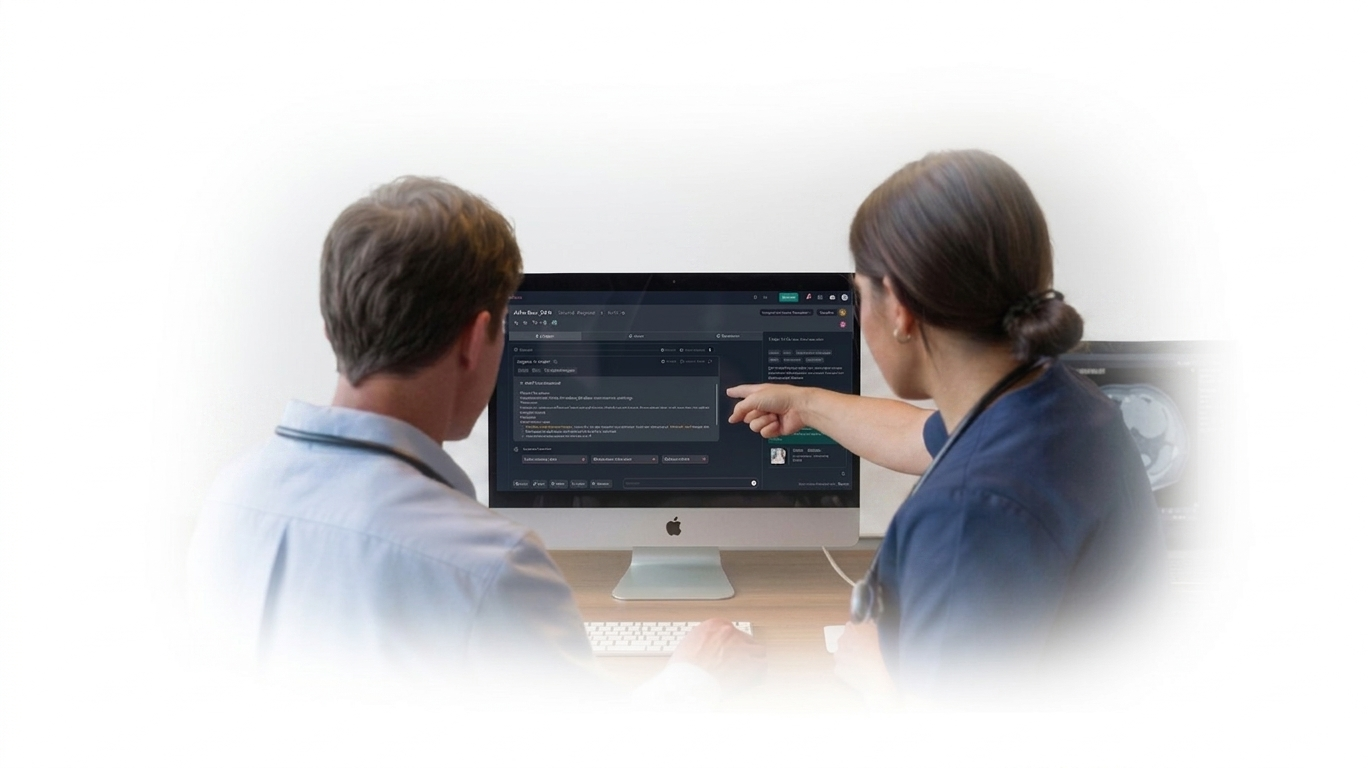

Introducing




This release focuses on workflow efficiency, longitudinal tracking, task management, imaging performance, and reducing operational friction for navigators, schedulers, and clinical teams.
Release at a glance
New & revamped
F.01
Complete redesign of the
Task Management feature.
Problem
The existing task modal only supported task details, due date, and owner — too thin for real navigator and scheduler workflows.
Impact
Our first major step toward true EMR-driven longitudinal tracking.
What’s New
New
Task Type
Categorize tasks as Enrollment, Follow-Up, or Other. More task types will be introduced in upcoming releases.
New
Linked Resources
Attach reports, appointments, and encounters directly to a task.
Schedulers who complete a 3-month follow-up CT in Epic can return to qTrack, link the appointment, and have task status sync as longitudinal tracking matures.
New
Comments & Tagging
Add notes inside a task and @-mention teammates without leaving the modal.
Revamp
Title & Description
Two dedicated fields for a concise title plus a longer description when context matters.
Revamp
Quick Due-Date
Extension
One-click extensions on top of the date picker: +3 days, +1 week,
+1
month
, +1 year.
Unchanged
Task Owner
Assignment behavior is the same — but the dropdown is now far cleaner (see F.04).

Creating a task
Updating a task
!
This release introduces resource linking as the first step toward longitudinal tracking with EMR. The ability to
update tasks based on linked resources will be enhanced over the next 2–3 releases as we gather feedback from sites.
Note for Site POC
F.02
Significant DICOM viewing
capabilities.
Problem
CT studies with >100 slices loaded slowly, breaking the one- stop-viewer promise that
differentiates qTrack's FDA- registered viewer.
Impact
- Faster image loading
- Smooth nav across large studies
- Reduced lag & delays
- Stronger in-platform adoption
New
Real-Time CT Image Viewing
Load and navigate CT images instantly, delivering a seamless, on-the-go experience comparable to leading imaging viewers.
Placeholder

What’s New
F.03
Product-level user mapping for
tasks.
Problem
Users were mapped at workspace level only. Task assignment dropdowns surfaced people from qXR, qCT, qER alongside qTrack — confusing, slow, and error-prone.
Impact
- Cleaner, faster assignment
- Less user confusion
- Better operational accuracy across products

What’s New
New
Product-Level User Mapping
Users are now assigned at the product level, enabling more precise access control and better alignment with specific workflows beyond the workspace level.
Placeholder
F.04
One-click ACR Registry
submission.
Problem
Users could fill ACR forms in qTrack but couldn't submit them to the registry — leaving compliance work half-done.
Impact
Significantly improved compliance with far less manual registry work.
New
One-Click ACR Submission
Navigators can now submit completed ACR forms directly to the ACR registry from within qTrack, eliminating missed submissions and extra steps.
New
AI-Powered Auto-Fill with AIRA
AIRA automatically populates ACR forms using the most relevant data from selected radiology reports and the latest synced EMR information, reducing manual effort and errors.
New
Submission Status Tracking
After submission, users can easily verify whether their ACR forms were accepted or rejected by the registry, ensuring full visibility and follow-through.
!
Note for Site POC
Admin configuration is required to authorize qTrack to send data to the ACR registry. Setup details will be shared separately by May 6.

What’s New
ACR Form Configuration
ACR Form filling and submisison
Viewing ACR Submission status
F.05
Configurable visibility of Imaging AI findings.
Problem
Sites running both Imaging AI and qTrack saw qXR / qCT results everywhere — even when not operationally needed.
Impact
- Cleaner workflows
- Less information overload
- Better site-level customization
New
Site-Level Control for Imaging AI Results
For sites using both Imaging AI and qTrack, administrators can now toggle Imaging AI results on or off at the site level, controlling which results are surfaced within qTrack.
Placeholder

What’s New
F.06
Appointments now show the
year.
Problem
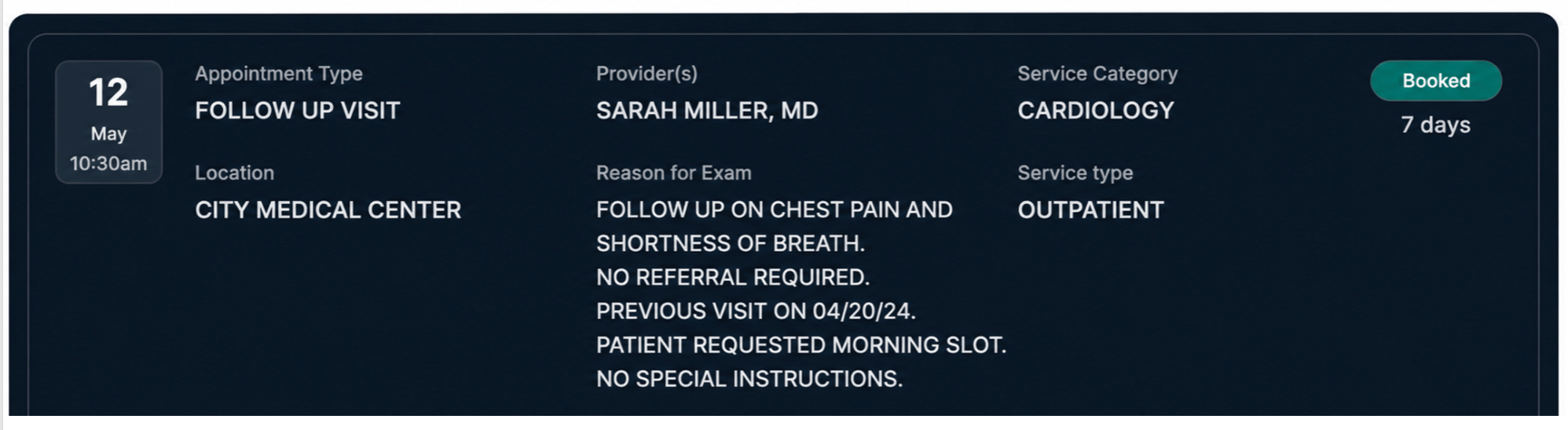
Appointment records previously displayed only month, day, and time — ambiguous for historical
and future records.
Impact
Improved clarity for historical and future appointment tracking.
New
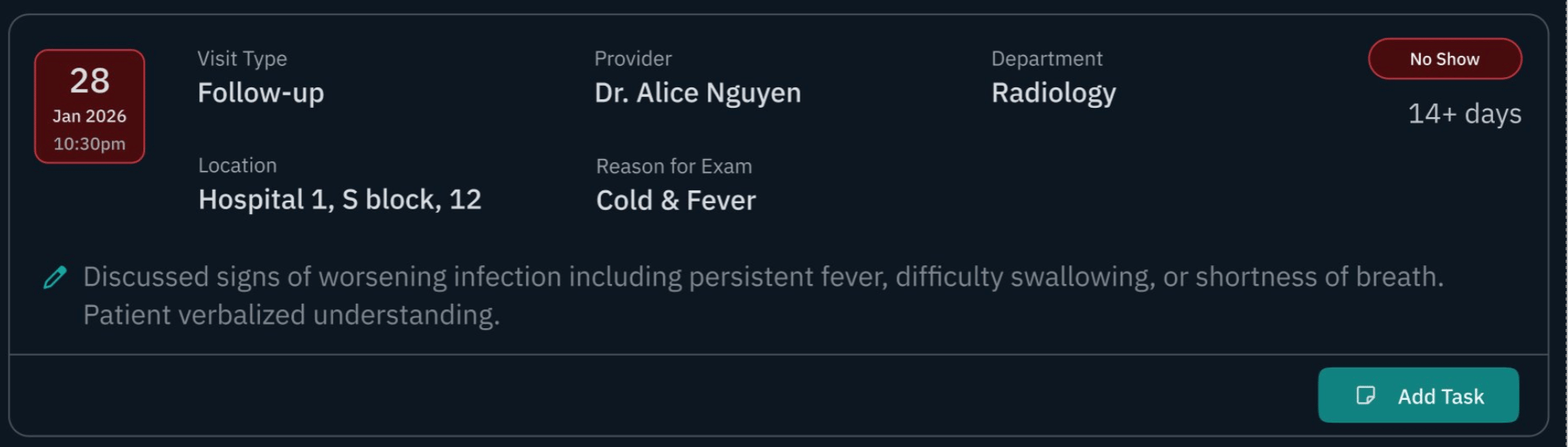
Year-Stamped Appointments
All appointment entries now include the year, removing ambiguity when reviewing past and future schedules.
Before
After

What’s New
Fixes
Bug fixes
01
Patient search by name combination (e.g. middle.first or first.middle) wasn't working correctly for some sites.
Search behavior is now configurable per site based on the site's first, middle, and last name setup.
Search
02
Letter templates appearing intermittently — visible in some sessions, missing in others. Root cause
identified; fix included in this release.
Letters
03
Cross-patient task bleed — when creating or updating a task, unsaved changes were carrying over to the
next patient. Fixed: unsaved tasks no longer flow across patients.
Tasks

Introducing





This release focuses on workflow efficiency, longitudinal tracking, task management, imaging performance, and reducing operational friction for navigators, schedulers, and clinical teams.

Release at a glance
New & revamped
F.01
Complete redesign of the
Task Management feature.
Problem
The existing task modal only supported task details, due date, and owner — too thin for real navigator and scheduler workflows.
Impact
Our first major step toward true EMR-driven longitudinal tracking.
What’s New
New
Task Type
Categorize tasks as Enrollment, Follow-Up, or Other. More task types will be introduced in upcoming releases.
New
Linked Resources
Attach reports, appointments, and encounters directly to a task.
Schedulers who complete a 3-month follow-up CT in Epic can return to qTrack, link the appointment, and have task status sync as longitudinal tracking matures.
New
Comments & Tagging
Add notes inside a task and @-mention teammates without leaving the modal.
Revamp
Title & Description
Two dedicated fields for a concise title plus a longer description when context matters.
Revamp
Quick Due-Date
Extension
One-click extensions on top of the date picker: +3 days, +1 week,
+1
month
, +1 year.
Unchanged
Task Owner
Assignment behavior is the same — but the dropdown is now far cleaner (see F.04).

Creating a task
Updating a task
!
This release introduces resource linking as the first step toward longitudinal tracking with EMR. The ability to
update tasks based on linked resources will be enhanced over the next 2–3 releases as we gather feedback from sites.
Note for Site POC
F.02
Significant DICOM viewing
capabilities.
Problem
CT studies with >100 slices loaded slowly, breaking the one- stop-viewer promise that
differentiates qTrack's FDA- registered viewer.
Impact
- Faster image loading
- Smooth nav across large studies
- Reduced lag & delays
- Stronger in-platform adoption
New
Real-Time CT Image Viewing
Load and navigate CT images instantly, delivering a seamless, on-the-go experience comparable to leading imaging viewers.
Placeholder
What’s New
F.03
Product-level user mapping for
tasks.
Problem
Users were mapped at workspace level only. Task assignment dropdowns surfaced people from qXR, qCT, qER alongside qTrack — confusing, slow, and error-prone.
Impact
- Cleaner, faster assignment
- Less user confusion
- Better operational accuracy across products
What’s New
New
Product-Level User Mapping
Users are now assigned at the product level, enabling more precise access control and better alignment with specific workflows beyond the workspace level.
Placeholder
F.04
One-click ACR Registry
submission.
Problem
Users could fill ACR forms in qTrack but couldn't submit them to the registry — leaving compliance work half-done.
Impact
Significantly improved compliance with far less manual registry work.
New
One-Click ACR Submission
Navigators can now submit completed ACR forms directly to the ACR registry from within qTrack, eliminating missed submissions and extra steps.
New
AI-Powered Auto-Fill with AIRA
AIRA automatically populates ACR forms using the most relevant data from selected radiology reports and the latest synced EMR information, reducing manual effort and errors.
New
Submission Status Tracking
After submission, users can easily verify whether their ACR forms were accepted or rejected by the registry, ensuring full visibility and follow-through.
!
Note for Site POC
Admin configuration is required to authorize qTrack to send data to the ACR registry. Setup details will be shared separately by May 6.
What’s New
ACR Form Configuration
ACR Form filling and submisison
Viewing ACR Submission status
F.05
Configurable visibility of Imaging AI findings.
Problem
Sites running both Imaging AI and qTrack saw qXR / qCT results everywhere — even when not operationally needed.
Impact
- Cleaner workflows
- Less information overload
- Better site-level customization
New
Site-Level Control for Imaging AI Results
For sites using both Imaging AI and qTrack, administrators can now toggle Imaging AI results on or off at the site level, controlling which results are surfaced within qTrack.
Placeholder
What’s New
F.06
Appointments now show the
year.
Problem
Appointment records previously displayed only month, day, and time — ambiguous for historical
and future records.
Impact
Improved clarity for historical and future appointment tracking.
New
Year-Stamped Appointments
All appointment entries now include the year, removing ambiguity when reviewing past and future schedules.
Before
After
What’s New
Fixes
Bug fixes
01
Patient search by name combination (e.g. middle.first or first.middle) wasn't working correctly for some sites.
Search behavior is now configurable per site based on the site's first, middle, and last name setup.
Search
02
Letter templates appearing intermittently — visible in some sessions, missing in others. Root cause
identified; fix included in this release.
Letters
03
Cross-patient task bleed — when creating or updating a task, unsaved changes were carrying over to the
next patient. Fixed: unsaved tasks no longer flow across patients.
Tasks